Zero dollar transactions In QuickBooks Online. Woody Adams and I have teamed up to bring you the QBO TOP 40 COUNTDOWN (to #QBConnect)
We’ve compiled a list of 40 features, tips and tricks that will help you work better, faster smarter. Keep in mind, there’s no particular order here we both just added to the list until we hit 40!
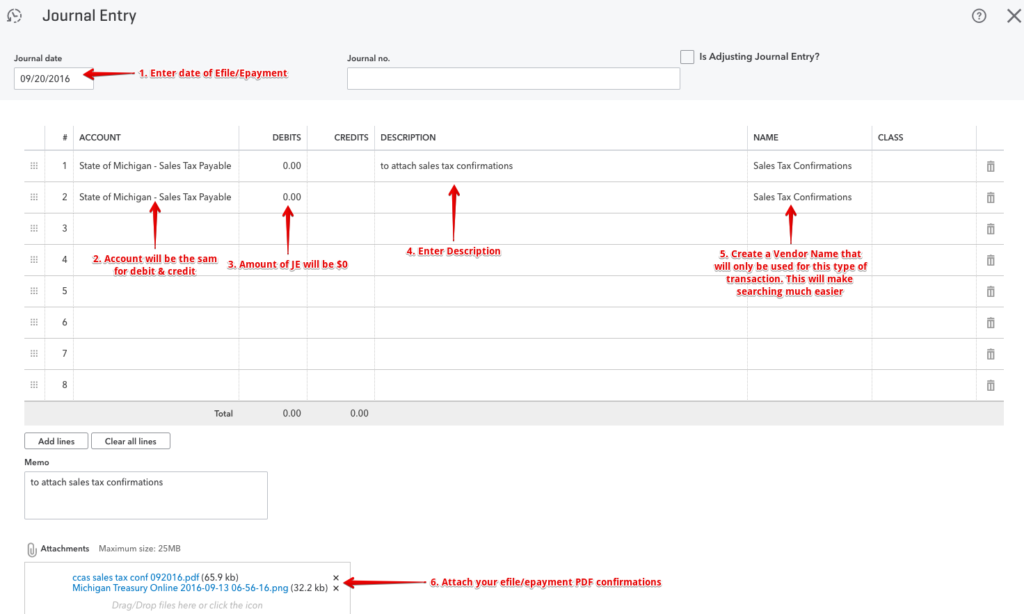
Zero dollar transactions In QuickBooks Online
Since we can’t attached statements to accounts, or documents to Sales Tax or Payroll Tax payments in QBO, I had to come up with other ways to do it.
QuickBooks Online Budget vs actual = estimate vs actual. Woody Adams and I have teamed up to bring you the QBO TOP 40 COUNTDOWN (to #QBConnect)
We’ve compiled a list of 40 features, tips and tricks that will help you work better, faster smarter. Keep in mind, there’s no particular order here we both just added to the list until we hit 40!
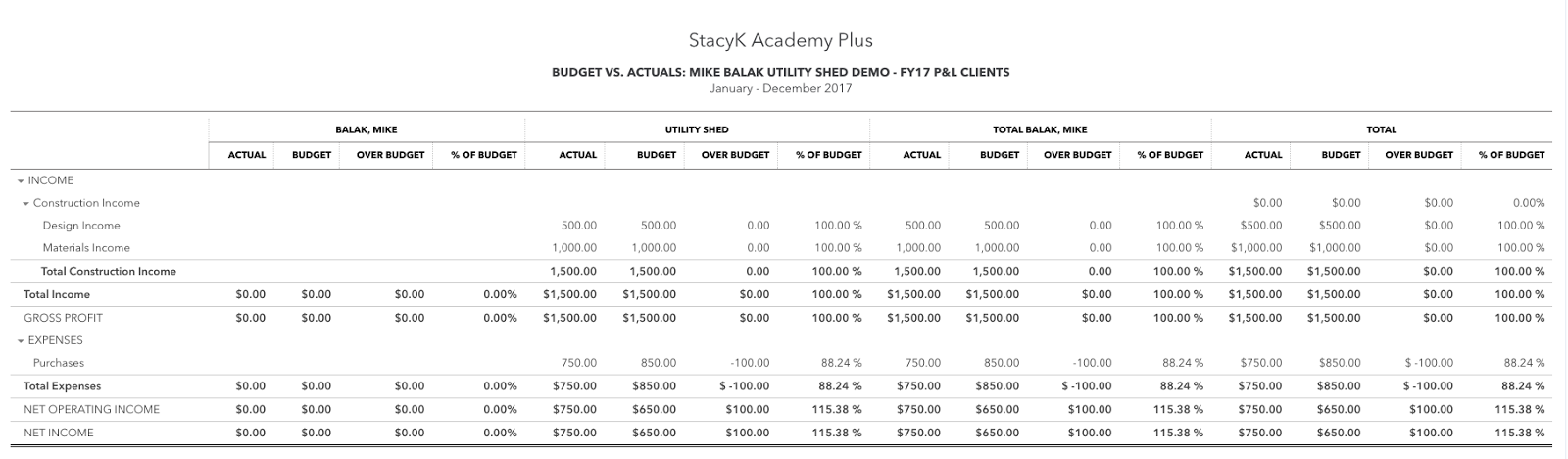
Budget vs actual = estimate vs actual
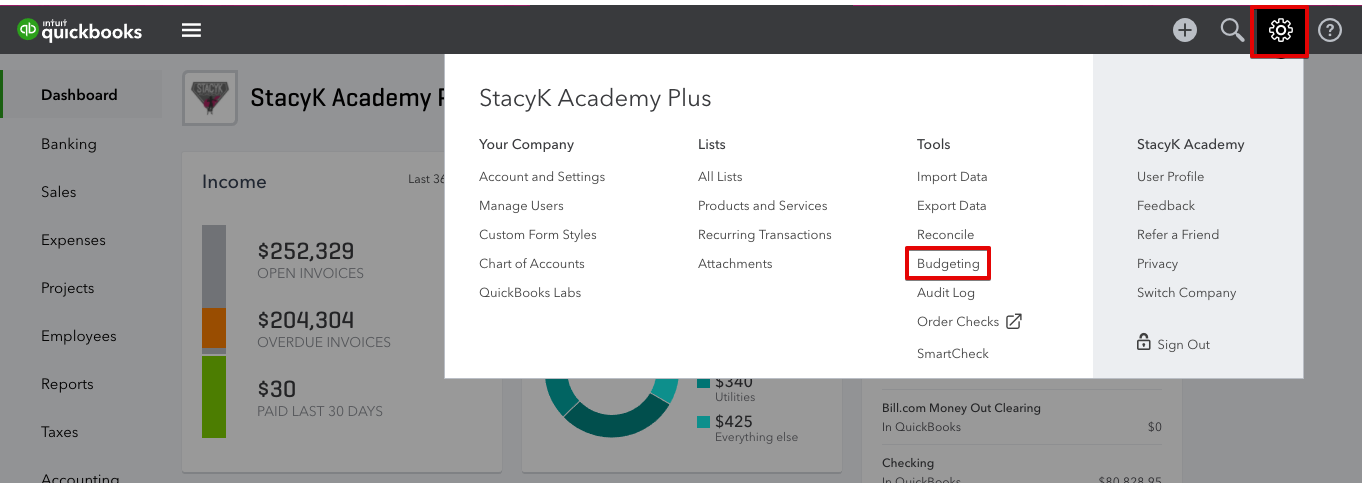
Because QBO doesn’t have an estimates vs actual report, we use budgets within QBO. QBO allows for more than one budget per fiscal year, so each customer and/or sub customer in QBO can have a separate budget. Or even more than one! We use the budget feature in QBO to enter the estimatedcosts and revenue.
Expense vs Check. Woody Adams and I have teamed up to bring you the QBO TOP 40 COUNTDOWN (to #QBConnect)
We’ve compiled a list of 40 features, tips and tricks that will help you work better, faster smarter. Keep in mind, there’s no particular order here we both just added to the list until we hit 40!
Expense vs Check
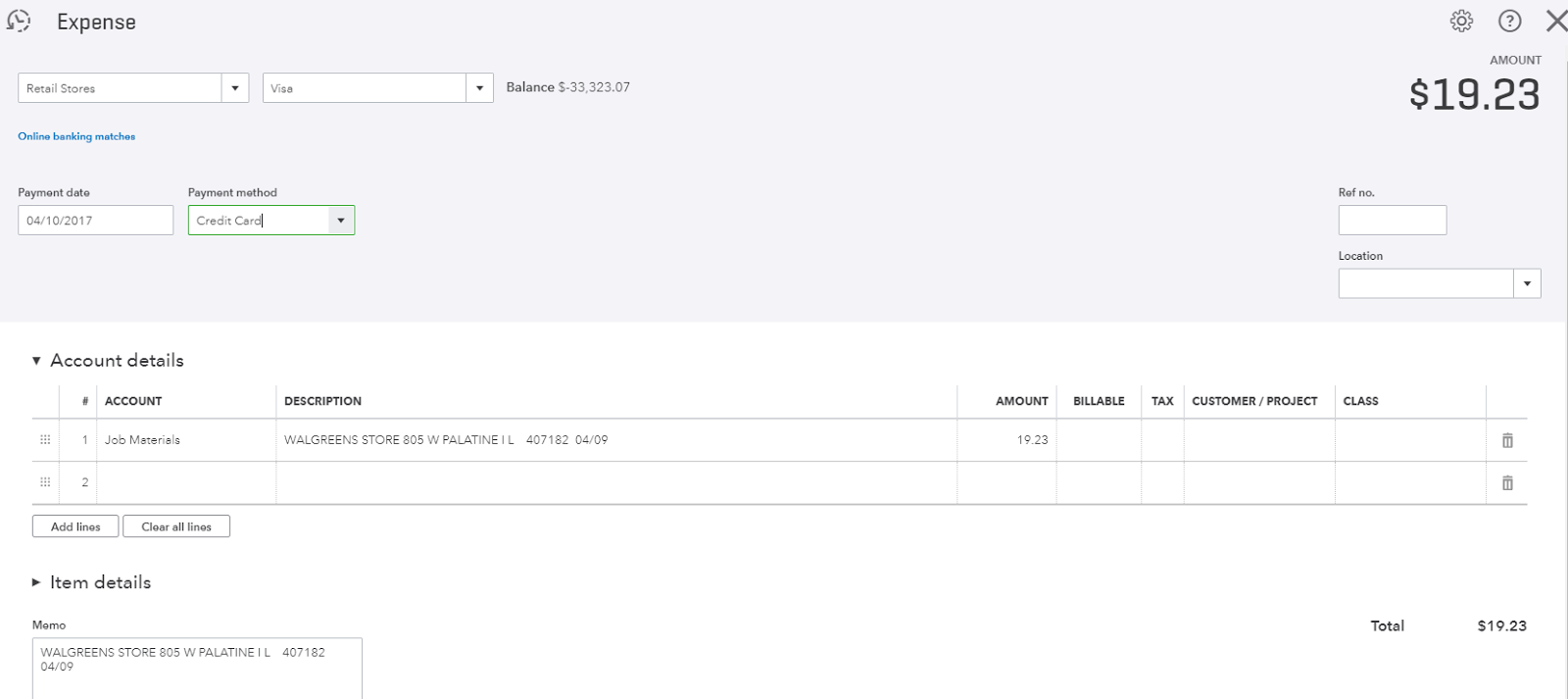
Use the Check form when it is actually a check that is handwritten or printed. Use Bill form when it needs to be paid later. But for all other purchase transactions that are not a check or a bill, use the Expense form. Works great for cash, credit and debit card expenses.
QuickBooks Labs – Import Style. Woody Adams and I have teamed up to bring you the QBO TOP 40 COUNTDOWN (to #QBConnect)
We’ve compiled a list of 40 features, tips and tricks that will help you work better, faster smarter. Keep in mind, there’s no particular order here we both just added to the list until we hit 40!
QuickBooks Labs – Import Style
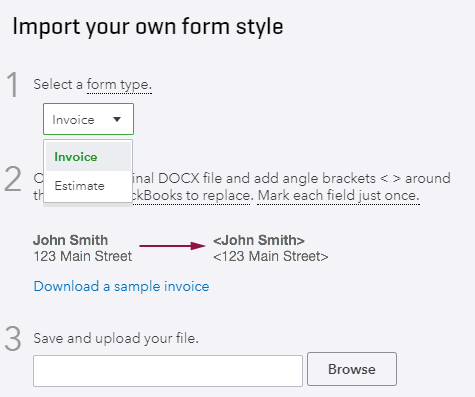
A QB labs feature, turn it on under Gear icon/QB labs…I can import a word doc as an invoice or estimate template. Cool if you or your client already has a template they want QBO to inherit, not that it gives QBO any more fields to choose, still locked into the form customization limits of QBO itself…
Side Note: Every time I see this in QBO, my brain starts playing this“…And on the cool check in, center stage on the mic…”
Custom Reports – Email Scheduling. Woody Adams and I have teamed up to bring you the QBO TOP 40 COUNTDOWN (to #QBConnect)
We’ve compiled a list of 40 features, tips and tricks that will help you work better, faster smarter. Keep in mind, there’s no particular order here we both just added to the list until we hit 40!
Custom Reports – Email Scheduling
If you have reports that you want to have automatically sent to yourself or, if you’re an accounting professional, your client, you can set them up as custom reports, then set an email schedule. You can do this for individual reports and/or report groups.
Using the QBO Windows app. Woody Adams and I have teamed up to bring you the QBO TOP 40 COUNTDOWN (to #QBConnect)
We’ve compiled a list of 40 features, tips and tricks that will help you work better, faster smarter. Keep in mind, there’s no particular order here we both just added to the list until we hit 40!
Using the QBO Windows app
There are apps that you can download for your Mac or Window computer, and this video gives you some insight to how they work. Think of them as special browsers that only allow you to access one website: qbo.intuit.com