Woody Adams and I have teamed up to bring you the QBO TOP 40 COUNTDOWN (to #QBConnect)
Reconcile – Discrepancies: We’ve compiled a list of 40 features, tips and tricks that will help you work better, faster smarter. Keep in mind, there’s no particular order here we both just added to the list until we hit 40!
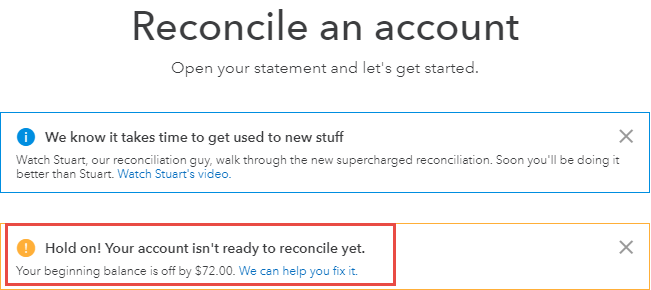
Reconcile – Discrepancies
The recently updated bank reconcile feature gives way better discrepancy visibility, and access to solve…
View Transaction Journal: Woody Adams and I have teamed up to bring you the QBO TOP 40 COUNTDOWN (to #QBConnect)
We’ve compiled a list of 40 features, tips and tricks that will help you work better, faster smarter. Keep in mind, there’s no particular order here we both just added to the list until we hit 40!
View Transaction Journal
When you create a posting transaction in QBO (one that hit’s the General Ledger) you can view the corresponding transaction journal by opening the transaction, scrolling to the bottom, and clicking the “More” button, then “Transaction Journal”
Here’s what the Transaction Journal looks like; it gives you the debit/credit information relating to that transaction:
Keyboard Shortcuts – Calculations: Woody Adams and I have teamed up to bring you the QBO TOP 40 COUNTDOWN (to #QBConnect)
We’ve compiled a list of 40 features, tips and tricks that will help you work better, faster smarter. Keep in mind, there’s no particular order here we both just added to the list until we hit 40!
Keyboard Shortcuts: Calculations
Don’t feel like mathing? QuickBooks Online will do it for you! If you need to make a calculation, you can do it in fields that require a number. Enter the calculation (seen here is 15*2) then hit tab and QBO maths it, check it out!
Keyboard Shortcuts – Dates Woody Adams and I have teamed up to bring you the QBO TOP 40 COUNTDOWN (to #QBConnect
We’ve compiled a list of 40 features, tips and tricks that will help you work better, faster smarter. Keep in mind, there’s no particular order here we both just added to the list until we hit 40!
Keyboard Shortcuts – Dates
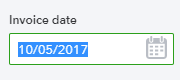
Interesting, just typing some letters on your keyboard…there are 7 letters that will impact the transaction date field. Give the below a whirl…
Recurring Transactions: Woody Adams and I have teamed up to bring you the QBO TOP 40 COUNTDOWN (to #QBConnect)
We’ve compiled a list of 40 features, tips and tricks that will help you work better, faster smarter. Keep in mind, there’s no particular order here we both just added to the list until we hit 40!
Recurring transactions
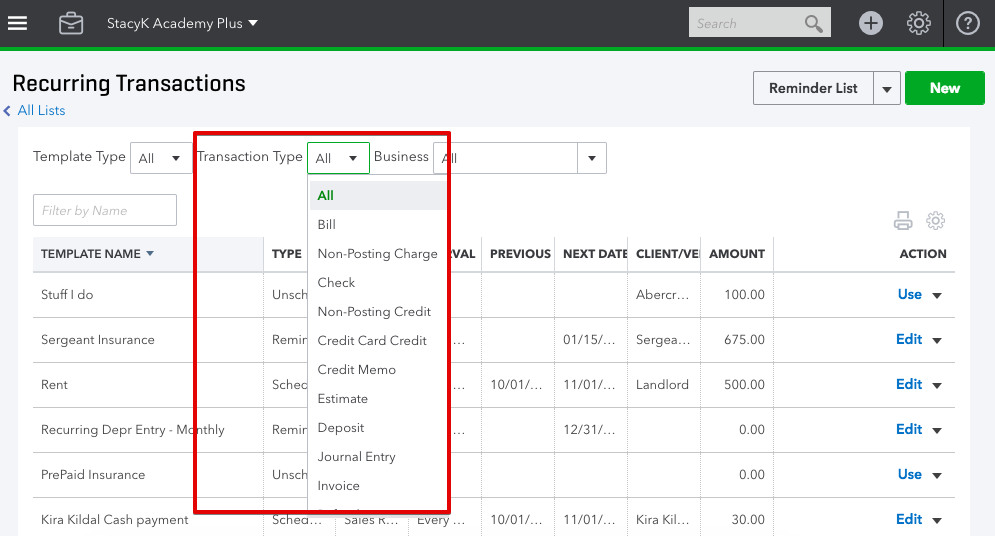
Recurring transactions are used to create templates frequently used in your workflow – i.e. monthly JE for depreciation or auto bank draft. They can be used for first step in a workflow, so you can do a bill or an invoice, but can’t make bill payments or receive payments recurring.
You can set recurring transactions to be scheduled (like a monthly Sales Receipts for membership ), unscheduled (maybe an estimate with many line items that you use a few times per year) or set QBO to remind you about them (maybe you write a blog and the due date varies each month).
Import/Export Bank Rules: Woody Adams and I have teamed up to bring you the QBO TOP 40 COUNTDOWN (to #QBConnect)
We’ve compiled a list of 40 features, tips and tricks that will help you work better, faster smarter. Keep in mind, there’s no particular order here we both just added to the list until we hit 40!
Import/Export Bank Rules
Got clients that leverage the same vendors for purchases? Do you have some killer bank rules set up in one of their QBO files? You can Export those rules and then Import into the other QBO client file’s bank and credit card window.