Woody Adams and I have teamed up to bring you the QBO TOP 40 COUNTDOWN (to #QBConnect).
We’ve compiled a list of 40 features, tips and tricks that will help you work better, faster smarter. Keep in mind, there’s no particular order here we both just added to the list until we hit 40 and QuickBooks Connect!
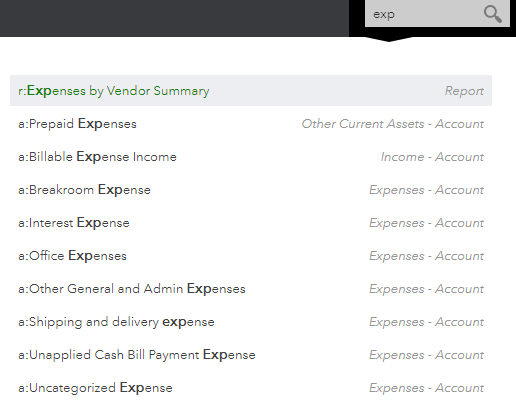
Search for Reports
When in a client file, left click in the Search box at top right. A great way to see the last transactions entered and reports recently run. As well, you can search for a report you might not remember where it is…
Woody Adams and I have teamed up to bring you the QBO TOP 40 COUNTDOWN (to #QBConnect)
We’ve compiled a list of 40 features, tips and tricks that will help you work better, faster smarter. Keep in mind, there’s no particular order here we both just added to the list until we hit 40 and QuickBooks Connect!
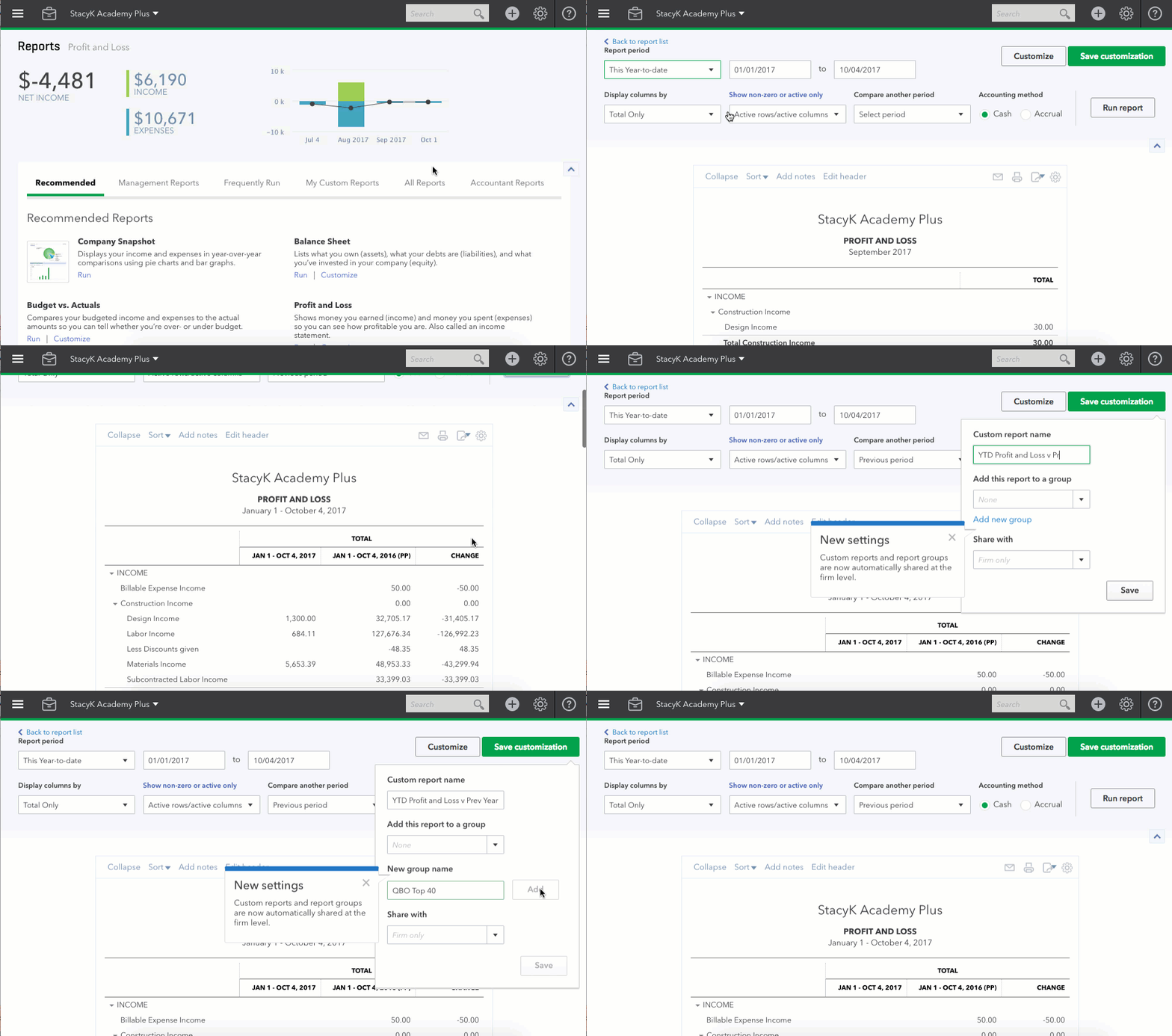
Report Customizations
Can’t find the report you want? Open a similar report, customize it to give you the data the way you want it, then save the customizations.
You can find all of these reports under the My Custom Reports header of the Report Center
Woody Adams and I have teamed up to bring you the QBO TOP 40 COUNTDOWN (to #QBConnect)
We’ve compiled a list of 40 features, tips and tricks that will help you work better, faster smarter. Keep in mind, there’s no particular order here we both just added to the list until we hit 40 and QuickBooks Connect!
Tabbed browsing for reports
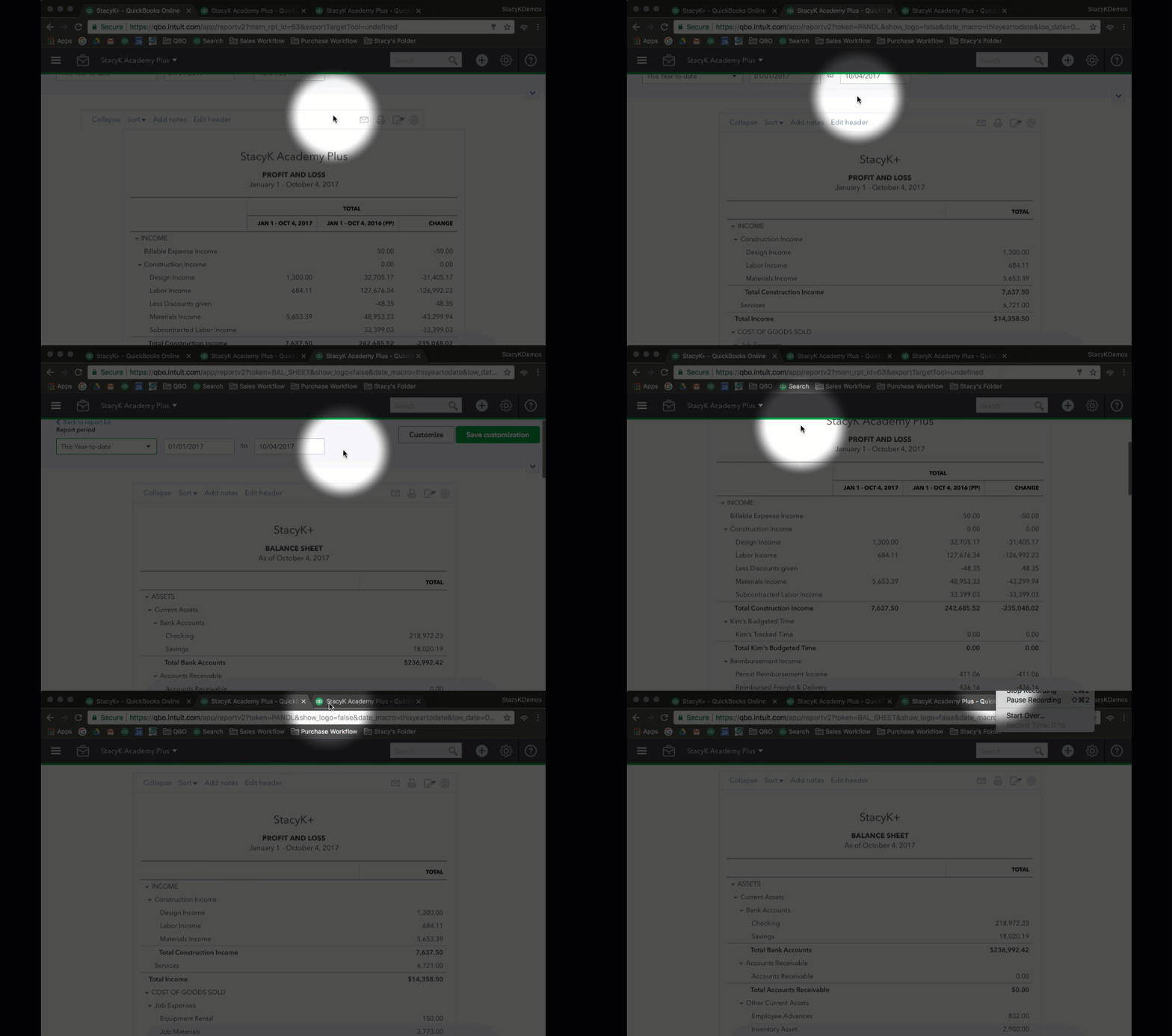
While QuickBooks Online doesn’t have an Open Windows List like QBDT, you can have as many tabs open as you need.
Below, you can see how I’m moving from tab to tab to view reports.
Woody Adams and I have teamed up to bring you the QBO TOP 40 COUNTDOWN (to #QBConnect)
We’ve compiled a list of 40 features, tips and tricks that will help you work better, faster smarter. Keep in mind, there’s no particular order here we both just added to the list until we hit 40 and QuickBooks Connect!
Bookmarks
You can favorite your oft-used QuickBooks Online Forms and lists in top icon bar to be ONE click away from most common QuickBooks Online Features…
Woody Adams and I have teamed up to bring you the QBO TOP 40 COUNTDOWN (to #QBConnect)
We’ve compiled a list of 40 features, tips and tricks that will help you work better, faster smarter. Keep in mind, there’s no particular order here we both just added to the list until we hit 40 and QuickBooks Connect!
QuickBooks Online Accountant: Team Visibility
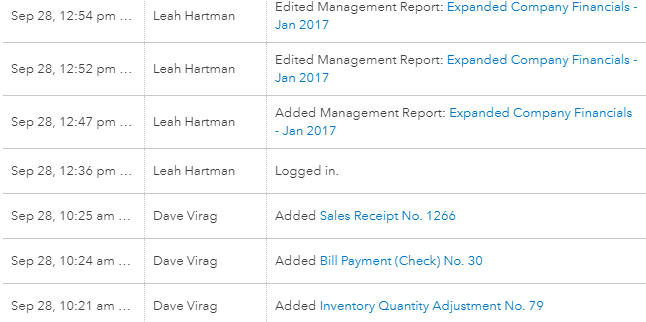
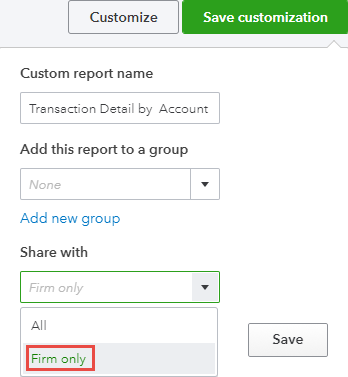
In the Audit Log of client file, QuickBooks Online Accountant team members can now see actual staff name, while your client only sees firm name. Better visibility for firm! As well, you can save report customizations to Firm Only!
With the new ability to receive partial purchase orders in QuickBooks Online, I thought it was a great time to update my instructions for QuickBooks Online Job Costing & Progress Invoicing workaround. Included in this is how to get budgets vs actuals