Import/Export Bank Rules: Woody Adams and I have teamed up to bring you the QBO TOP 40 COUNTDOWN (to #QBConnect)
We’ve compiled a list of 40 features, tips and tricks that will help you work better, faster smarter. Keep in mind, there’s no particular order here we both just added to the list until we hit 40!
Import/Export Bank Rules
Got clients that leverage the same vendors for purchases? Do you have some killer bank rules set up in one of their QBO files? You can Export those rules and then Import into the other QBO client file’s bank and credit card window.
Bank Feed Rules – Woody Adams and I have teamed up to bring you the QBO TOP 40 COUNTDOWN (to #QBConnect).
We’ve compiled a list of 40 features, tips and tricks that will help you work better, faster smarter. Keep in mind, there’s no particular order here we both just added to the list until we hit 40 and QuickBooks Connect!
Bank feed rules
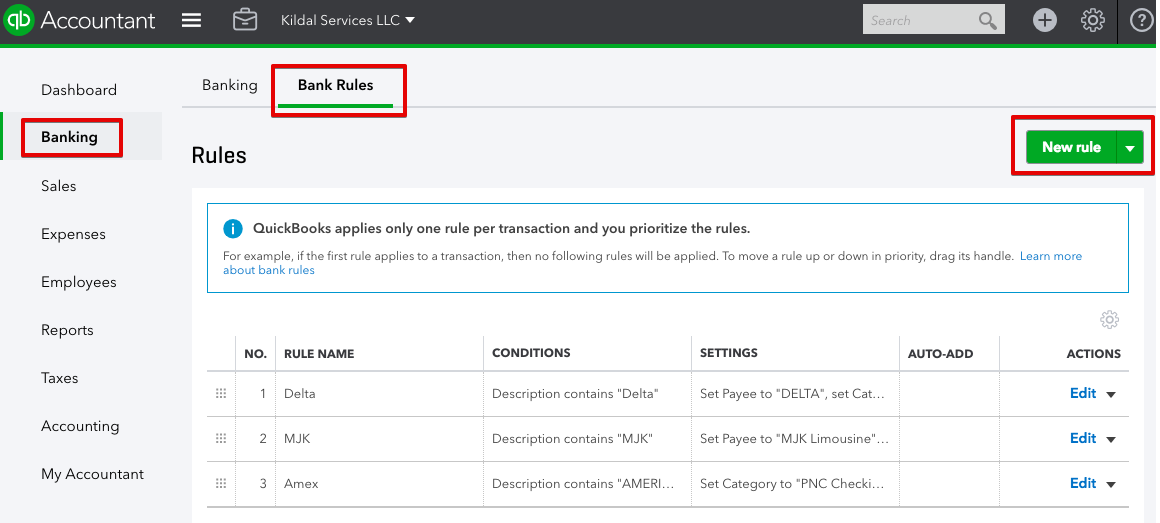
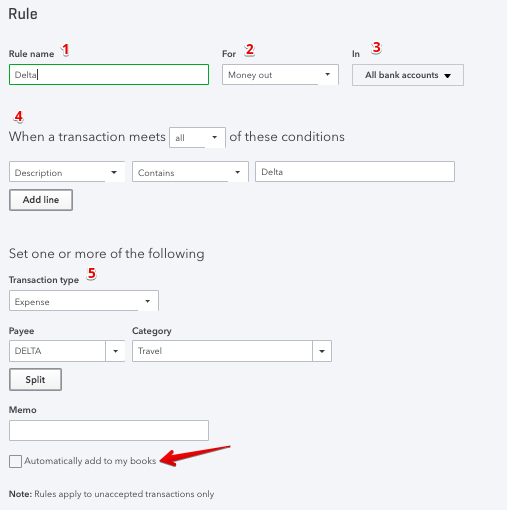
Bank rules are processes you can create to conduct particular actions (such as categorize) bank transactions that meet certain conditions. In theory, they are are similar to rules in Outlook or Mint.
Rules enable users to control, customize and further automate their banking experience within QuickBooks Online
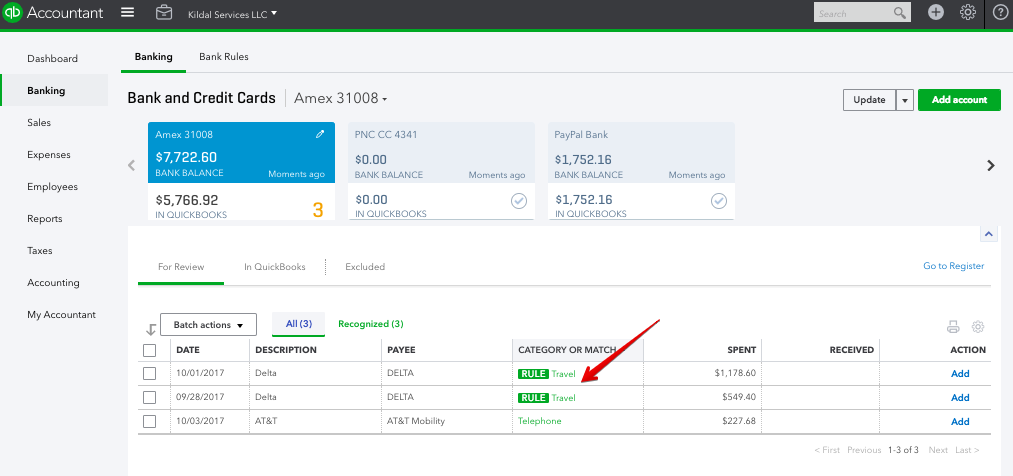
I generally recommend Bank Rules for transactions that happen often or on a schedule, are the same vendor, same expense account but a different amount. A good example would be how we use them at Kildal Services LLC, for travel expenses.
Woody Adams and I have teamed up to bring you the QBO TOP 40 COUNTDOWN (to #QBConnect)
We’ve compiled a list of 40 features, tips and tricks that will help you work better, faster smarter. Keep in mind, there’s no particular order here we both just added to the list until we hit 40 and QuickBooks Connect!
Reclassify transactions
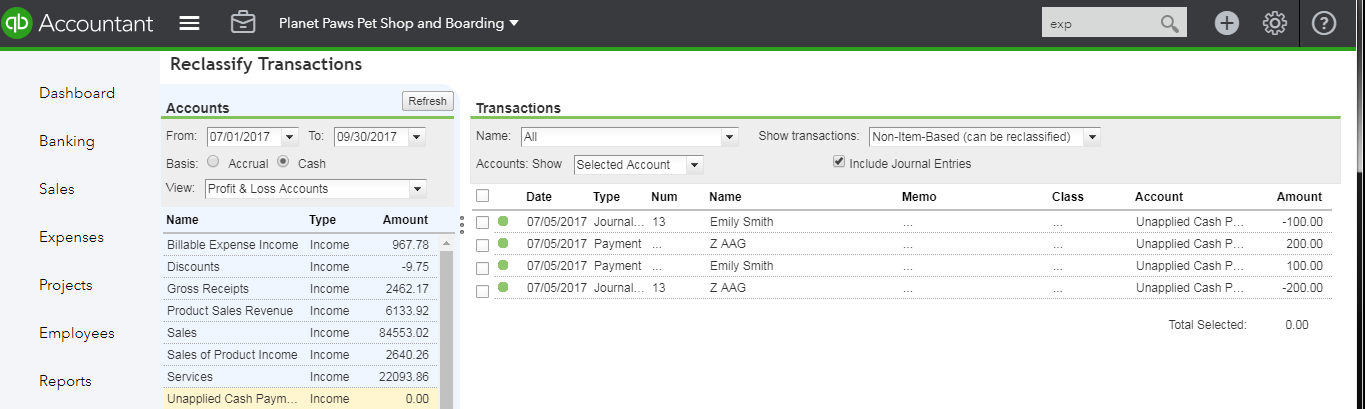
We all love this tool, it has been in QBA for years, also in QuickBooks Online When accessed via QuickBooks Online Accountant , accessed from Accountant toolbox. Allows me to reclassify miscoded transactions in batch, but also to make sure the right transaction types are in the right account. I call it “birds-eyeing” and is faster than duplicating report tabs as i can just highlight an account and sort by Transaction type etc…also helpful to see why a transaction would even be in a certain account:
Woody Adams and I have teamed up to bring you the QBO TOP 40 COUNTDOWN (to #QBConnect)
We’ve compiled a list of 40 features, tips and tricks that will help you work better, faster smarter. Keep in mind, there’s no particular order here we both just added to the list until we hit 40 and QuickBooks Connect!
Recent Transaction Button
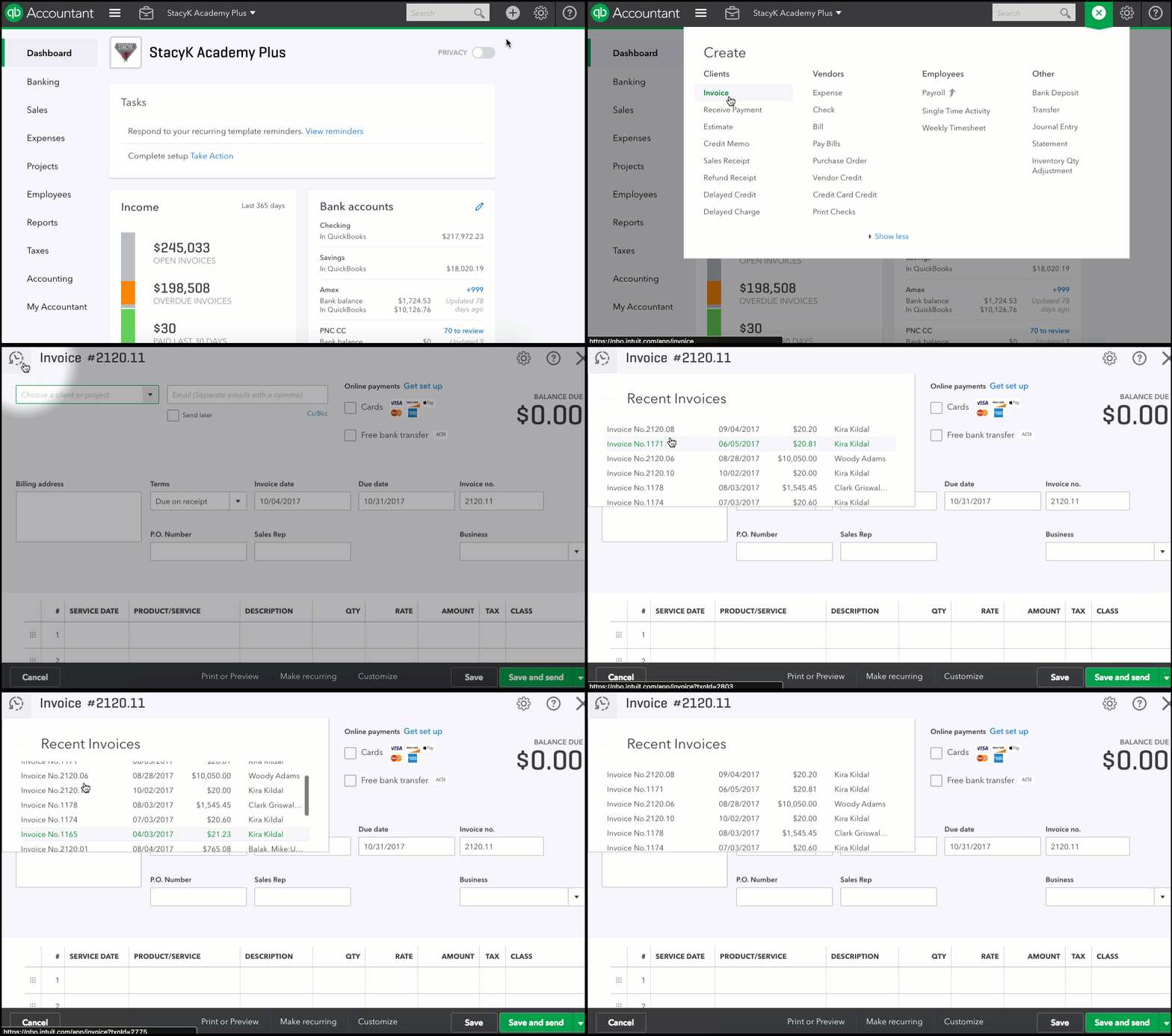
Are you about to create an invoice that you’re pretty sure you’ve already created? Before you start a new one, you can use the little clock icon in the top left corner to look for recent invoices.
FYI: this button can be found in the top left of any transaction screen, so you can look for recent Sales Receipts, Journal Entries, Bill Payments, etc.
Woody Adams and I have teamed up to bring you the QBO TOP 40 COUNTDOWN (to #QBConnect)
We’ve compiled a list of 40 features, tips and tricks that will help you work better, faster smarter. Keep in mind, there’s no particular order here we both just added to the list until we hit 40 and QuickBooks Connect!
Drag & Drop Links to New Tab
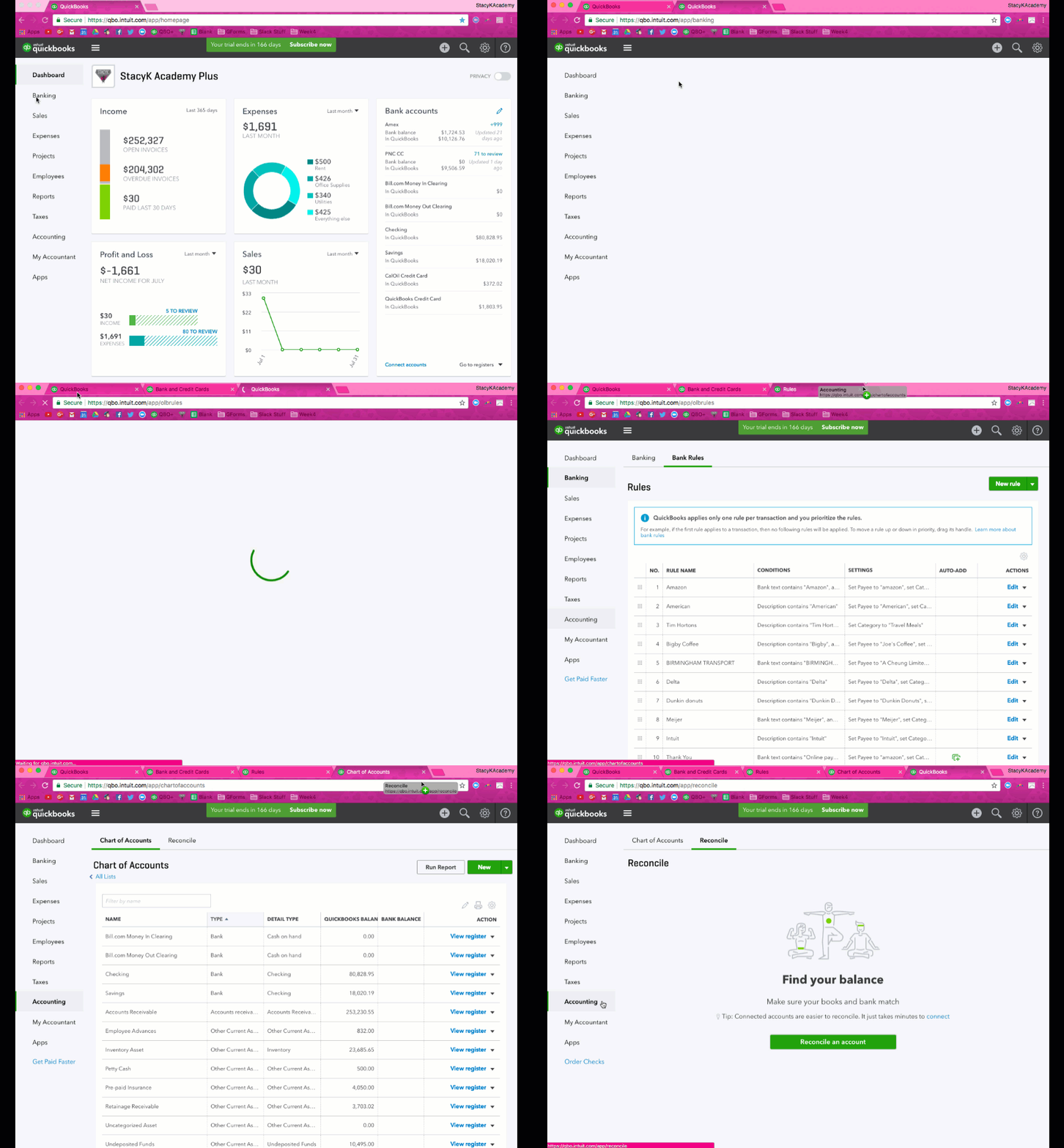
Not a function of QuickBooks Online , it’s a chrome trick – you can drag and drop navigation links to a new tab.
Woody Adams and I have teamed up to bring you the QBO TOP 40 COUNTDOWN (to #QBConnect)
We’ve compiled a list of 40 features, tips and tricks that will help you work better, faster smarter. Keep in mind, there’s no particular order here we both just added to the list until we hit 40 and QuickBooks Connect!
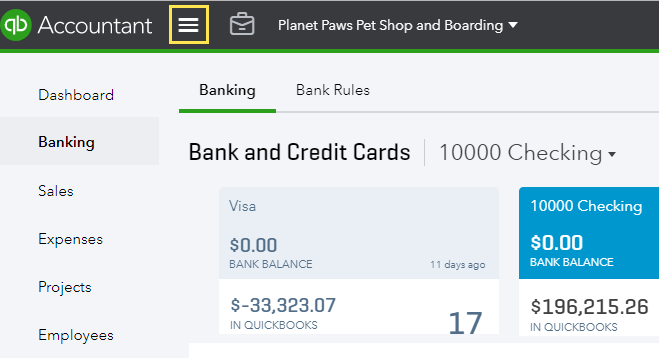
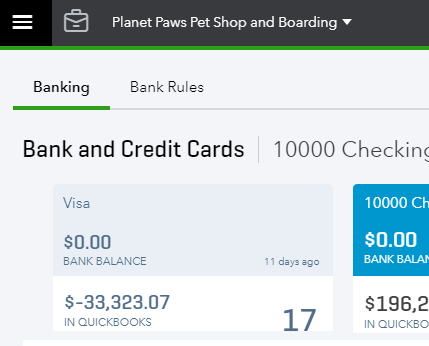
Hamburger Button
The 3 lines at top left of client file, we call it the “Hamburger” button, and it collapses the Left Nav Bar, in case you need more real estate…